Most pastoral care software was built with one role in mind. A solo pastor, or maybe a pastor plus a single care coordinator, working through a list of households. The whole interface assumes that one person has the full picture in their head, and the tool exists to help that person remember who they have not contacted lately. For a lot of churches, that model fits.
It does not fit an elder-led church. In an elder-led church, shepherding is shared work. The board carries the care of the body together, the pastor sits inside that board rather than above it, and outreach happens through several relationships at once rather than through a single point of contact. A tool built for a solo pastor either flattens that into something unrecognizable, or quietly forces the elders to behave like a staff care team to make the software happy. Neither option is sustainable.
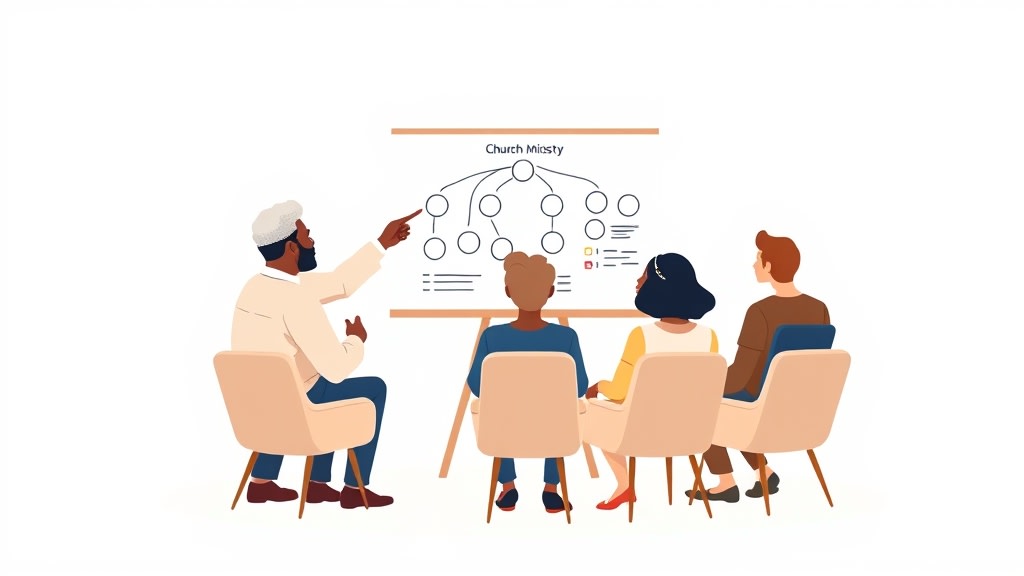
Why Elder-Led Churches Need Different Tools
The elder model is not just an org chart preference. It is a theology of shared shepherding, and the daily work of outreach reflects that. The elder you happen to be closest to is often the elder who reaches out when something is hard. The elder who teaches your class on Sunday is often the one who notices when you have not been there for three weeks. Care is distributed by relationship, not assigned by spreadsheet, and that is the point.
Software that was built for a solo pastor tends to assume the opposite. It wants a single owner per household, a single workflow, a single dashboard that one person checks. The moment you try to put four or five elders into that system, things get awkward. Two elders log the same conversation in different ways. Nobody knows whether the visit got recorded. The chair has to chase down who did what before every meeting. The tool ends up costing time rather than saving it.
Elder outreach software is not a separate category in most vendor catalogs, but in practice it is a real and distinct need. The board needs to see who reached out to whom, when, and what came up, without making the elders feel like data entry clerks. The chair needs a shared view across the body without having to be the bottleneck for every update. And the pastor needs to know that the care work is happening even on the weeks when he is not the one doing it.
What Outreach Actually Looks Like in an Elder-Led Church
In a healthy elder-led church, outreach is rarely a scheduled visitation route. It is a series of overlapping touches. An elder runs into a member at the grocery store and asks how the move went. Another elder gets a text Friday night and stops by Saturday morning. The pastor calls the family that lost a parent during the week. A fourth elder hosts a small group on Wednesday and notices that one of the regulars has been quiet for a month.
Each of these touches matters. None of them are easy to capture in a system designed for one shepherd. The elder at the grocery store is not going to log a checkbox. The elder texting on Friday night needs something that works on a phone in three taps. The pastor needs a way to flag that the bereaved family will need ongoing attention without assigning a single owner for the whole season of grief. And the chair needs to see, on Sunday afternoon, that this family has had four real touches across the board in the past three weeks rather than zero.
The tool that fits this reality is the tool that lets multiple elders touch the same household without confusion, captures conversations in a form that does not require a desk to fill out, and rolls everything up into a coverage view that the whole board can read in one glance. A care team that actually covers every family looks different on an elder board than it does on a deacon team, and the software has to flex.
The Four Capabilities That Carry Most of the Weight
If you look across what elder boards actually use day to day, the list of important features is short. A household directory that the whole board can see and edit, because care is organized by family and elders move in and out of relationships over time. Shared contact logging, so any elder can record a touch and any other elder can see it without needing to ask. A coverage view that shows households the board has not reached recently, sorted by how long it has been, so the quiet families surface to the top. And lightweight assignment, so each household has at least one elder who is paying attention, without locking out the rest of the board.
That last piece is where elder-led churches diverge most sharply from deacon-led ones. A deacon ministry usually wants firm assignments, because deacons cover families they may not know personally and the assignment is the relationship. An elder usually already has relationships across the body, and the assignment is just a tiebreaker for who is paying closest attention right now. Software that forces hard ownership boundaries onto elder boards tends to feel restrictive, while software that allows fluid coverage with one named lead per household tends to feel natural.
Where Most Software Misses the Elder Model
The first place most tools break down is permissions. A lot of care platforms were built with privacy concerns in mind, so they default to siloed views where each user only sees their assigned families. For a staff team that includes interns and volunteers, that makes sense. For an elder board, it is exactly backwards. Elders are the most senior leaders in the church and they need to see everything, because they are collectively responsible for the whole body.
The second breakdown is around logging. Tools designed for staff use often have rich form fields, tagging systems, follow-up workflows, and category dropdowns. Elders, who are typically volunteers with full-time jobs elsewhere, will use almost none of that. They need a text box, a date, and a way to indicate whether the conversation needs a follow-up from someone else. Anything heavier gets skipped, and a skipped log is worse than no log at all because it tells the chair the care is happening when it is not.
The third breakdown is reporting. Most platforms produce reports designed for staff supervisors who want to evaluate care team performance. That framing does not work on an elder board, where there is no supervisor and the body of elders is the team. What elders actually need is a single page that answers two questions for the whole board: which families are being well-cared-for, and which are quietly drifting. A useful dashboard for an elder board is built around coverage, not productivity.

How to Tell If a Tool Is Built for Elders or Just Repurposed for Them
Vendor websites rarely mention elder boards explicitly. The category language is usually "pastoral care" or "care team," and the screenshots almost always show a single named pastor working through a queue. That does not automatically rule a tool out, because some products work fine for elder boards even though the marketing did not say so. The trick is knowing what questions to ask in the sales call.
Ask whether multiple elders can be marked as connected to the same household without one of them being designated as the sole owner. Ask whether every elder can see every other elder's logged conversations by default, with no permission setup required. Ask how the coverage view handles a household that has been touched four times by four different elders in three weeks, and whether that family shows up as well-covered or just confused. Ask whether the chair can review the whole body in under five minutes on a Sunday afternoon. If any of those answers feel forced, the tool was built for a different church structure.
Conversely, the tools that fit elder boards usually betray it in small ways. The product uses words like household and coverage rather than caseload and assignments. The mobile experience is designed around quick logging rather than data entry. The shared view is the default, not a feature you have to turn on. And the pricing model does not penalize you for having six or seven elders who all need full access.
Bringing the Whole Board into the Same View
The hardest part of adopting any care software on an elder board is not the tool. It is getting the elders to actually use it. Elders are usually busy, often older, and rarely interested in learning a new app for the sake of the app. The chair who pushes too hard ends up with a system that two elders use faithfully and the other four ignore, which produces a worse picture than the old shared text thread did.
The boards that succeed tend to start small. They agree on one habit, usually logging a brief note any time an elder has a meaningful conversation with a member, and they do not introduce a second habit until the first one is sticking across the whole board. They make it normal to log from a phone during the drive home from a visit, rather than waiting to be at a computer. And they treat the coverage view as a shared meeting agenda item, opening it together every two or three weeks and walking through the families that the board has not touched lately. A care team meeting agenda built around the dashboard gives the elders a reason to actually look at the tool together.
What you do not want is a system where the chair becomes the single user, copying texts from the group thread into the tool because the other elders never log in. That arrangement looks like adoption from the outside but is actually a backwards step. It puts all the visibility into one person's hands and removes the shared accountability that the whole point of an elder board.

What a Realistic Rollout Looks Like
For most elder-led churches, a sensible rollout takes about six weeks. The first week is for the chair and one other elder to put the household list into the system and assign a lead elder to each family, with the understanding that the assignment is a tiebreaker rather than a fence. The second and third weeks are for those two elders to log every meaningful conversation they have, so the rest of the board can see what the data actually looks like before being asked to do it themselves.
The fourth week is when the rest of the board joins. The chair walks the elders through logging on their phones in fifteen minutes during a normal meeting, and the elders log their next real conversation that week. By the fifth and sixth weeks, the coverage view starts showing useful patterns, and the chair can bring it to the elder meeting as a shared discussion rather than a status report. If the board has not produced enough data by the end of week six, the tool is probably not getting used, and it is better to acknowledge that and adjust than to keep pretending.
A board that runs that rollout and finishes with most elders logging most of their meaningful conversations has a system that will outlast the current chair. That is the actual goal. Not a tool that one person maintains, but a habit the body of elders carries together, supported by software that quietly stays out of the way.
The Honest Bottom Line
Elder outreach software is a real need, even if the vendor category is fuzzy. The right tool for an elder-led church is the one that treats shared shepherding as the default rather than the exception, captures conversations in a form elders will actually use on a phone, and rolls everything up into a coverage view the whole board can read together. The wrong tool is the one that was built for a solo pastor and asks the elders to behave like staff to make it work.
If your board is currently coordinating care through a group text thread, a shared spreadsheet, or the chair's memory, the question is not whether you need software. It is whether the software you are evaluating respects the way your church is actually structured. The boards that get this right end up with a system that strengthens shared shepherding rather than quietly replacing it with a one-person workflow. The boards that get it wrong usually end up back in the group thread within six months, having learned an expensive lesson about which tools fit which churches.
Related Reading
For more on building care systems that fit your church structure, these posts go deeper: Deacon Care Team Software: What Actually Matters, A Practical Small Church Pastoral Care System, and How to Build a Church Care Team That Covers Every Family.