A free template can carry a church's care work farther than most software vendors want to admit. A well-built spreadsheet, used by a small team that actually opens it each week, will do real work for years. The trick is that most free templates floating around the internet were not built by people who have run a care team, and the columns reflect that. They look thorough in a download, and they collapse the first time a real care chair tries to use them.
This post is the template I would hand a deacon chair or care team leader who asked for one. The structure is simple enough to build in ten minutes, sturdy enough to survive a small board's first year, and honest about where it will start to break. Take it, adapt it, and use it as long as it serves you.
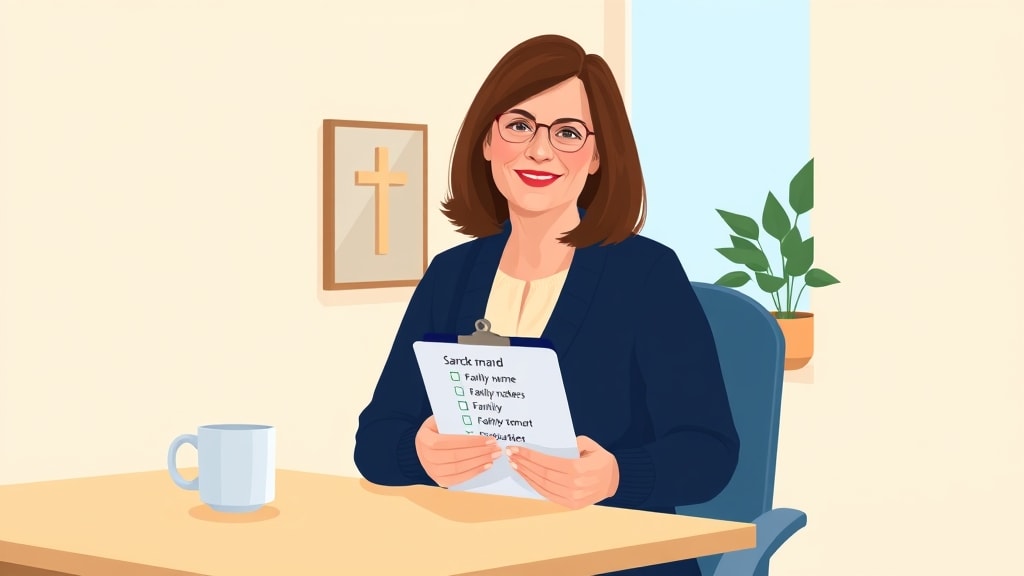
What a Care Tracking Template Has to Do
Before columns, the template has to answer three questions that every care team eventually asks. Who is responsible for which families. When did each family last hear from anyone on the team. Which families have come up recently with something the team should follow on. Any template that cannot answer those three on one screen will quietly fall out of use, no matter how detailed the rest of it is.
Most templates fail at the second question. They will record contacts in a long log, but they will not show the chair which families have gone quiet without somebody computing it by hand. A template that needs a separate sorting step every Sunday is a template the chair will stop opening. The whole point of the spreadsheet is that the answer to the question "who needs attention this week" should be visible at a glance.
The Columns That Actually Earn Their Place
A working template lives on a small number of columns. The temptation is to add more, because more feels thorough, and resisting that temptation is the single biggest decision that separates spreadsheets that survive from spreadsheets that get abandoned by spring.
Start with these. Household name. Assigned care worker. Date of last contact. Type of last contact, with values like visit, call, text, email, or in person at church. A short note about what came up. A status flag with three values: fine, watch, follow up. That is enough to run the system for a long time, and every column there does work the chair will use on Sunday afternoon.
The household name should be the family's normal name, the way the team actually refers to them. The assigned care worker should be one person, not a committee. The last contact date is the column the chair sorts on every week. The type of contact matters because a quick text and a sit-down visit are very different signals. The note should be short, two sentences at most. The status flag is what lets the chair scan the sheet quickly and see which families need attention this week. Clear family assignments are what make every other column meaningful, because nobody is logging into rows that nobody owns.

The Columns Most Templates Add That You Should Skip
The columns that look thorough in a download are usually the ones that quietly kill adoption. A "next contact due date" column sounds useful and creates more bookkeeping than it removes, because the chair now has to update both fields after every contact. A column for the spouse's name and birthday separately from the household name fragments the unit of care for no real gain. A column tracking whether the family attended the previous Sunday turns the sheet into an attendance tracker, which is a different job entirely.
Columns for prayer requests, financial situation, and family history all carry pastoral weight that does not belong in a shared spreadsheet at all. Notes that sensitive belong in a one-on-one conversation with a staff pastor, not in a row that several care workers can read. The boundary between what goes in the sheet and what stays in a private conversation is itself a pastoral decision the chair has to make, and the template should make it easier to draw that line, not harder.
The other column most templates add and you should skip is a long free-text "history" field. Every previous note, all stacked into one cell, growing forever. After three months, the cell is unreadable and the chair stops looking at it. If you want history, keep one short current note and trust a separate log to carry the rest.
How to Use the Template Each Week
A care tracking template only works if there is a small weekly habit attached to it. The most common pattern that actually survives is the Sunday afternoon scan. The chair, sometime between Sunday lunch and Sunday evening, opens the sheet, sorts by last contact date ascending, and looks at the top of the list. Any family that has been quiet past the agreed cadence gets a quick message to the assigned care worker that week. Any family flagged "follow up" gets a check-in. That is the whole loop.
The care workers themselves use the sheet differently. They open it when they make a contact, update the last contact date and type, write the short note, and adjust the status flag if anything has changed. They do not open it otherwise. The whole point of the template is that the chair holds the overview and the care workers hold the relationships, and the spreadsheet is the small piece of shared infrastructure that lets those two roles stay in sync.

Sharing the Template with a Team
A shared spreadsheet only stays trustworthy if a couple of small rules hold. The sheet has one source of truth, which is usually a Google Sheet rather than a copy emailed around. Edit access is limited to the chair and the assigned care workers, with view access to anyone else who needs visibility. Each care worker updates only their own rows, except in genuine emergencies. The chair never edits a care worker's note without telling them.
Most spreadsheets fail not because of the structure but because these small rules quietly break. Someone makes a copy and edits that copy. Someone overwrites a teammate's note. Someone takes the sheet offline for a week to clean it up. Each of those moves seems harmless in isolation, and any one of them can take a week to recover from. Treat the sheet the way you would treat a shared family calendar, with the same care about edits and the same trust that everyone on it is working in good faith.
The Honest Limits of a Spreadsheet Template
A template is a tool, and every tool has limits. A spreadsheet works extremely well for a single chair holding a small board, somewhere in the range of three to five care workers covering forty to eighty households. Past that, the same template starts to strain in predictable ways.
The first strain shows up in mobile use. A care worker logging a quick contact on a phone after a five minute conversation in a church lobby is fighting the sheet's interface on a small screen, and the friction is enough to push some of them back to paper notes that never make it into the spreadsheet. The second strain is concurrent editing. Two care workers updating rows at the same time produce version conflicts that the chair has to untangle. The third is history. A spreadsheet has no real memory of who cared for which family two years ago, which means a board rotation erases context the new care worker needed. Spreadsheets go stale in predictable ways, and being honest about those limits early prevents the panic that comes when the system suddenly stops feeling reliable.
When the Template Has Carried You as Far as It Can
There is no clean breakpoint, but there are signals. The chair starts keeping a second private spreadsheet to track what the shared one is supposed to be tracking. Care workers stop logging contacts because the friction has worn them down. The Sunday scan starts taking more than fifteen minutes because the chair cannot trust the last contact dates. Newer care workers inherit families with no usable history. A family situation that came up in a conversation three months ago slips through, and the chair only learns about it when something has gone visibly wrong.
When two or three of these signals are happening at once, the template has done what it can. That is not a failure. It is the natural end of a tool that served the team well at one scale and is no longer the right fit for the next. A small church pastoral care system built around dedicated software starts to make sense around the same time, not because spreadsheets are bad but because the team has outgrown them.

A Sample Template You Can Build in Ten Minutes
If you want to build this today, open a fresh Google Sheet and create one tab called Families. Add the columns in this order across the top row: Household, Care Worker, Last Contact Date, Type, Status, Note. Set the Status column with data validation pointing to three values: fine, watch, follow up. Freeze the top row. Sort by Last Contact Date ascending and leave it that way.
Add a second tab called Log if you want a running record of every contact. Three columns: Date, Household, Note. That is it. The first tab is the working surface the chair scans on Sunday. The second tab is the history the team can refer back to without cluttering the main view.
Populate the Families tab with the families you actually cover today, even if the data is rough. Empty cells for last contact date are fine to start. The act of typing in the household list itself usually produces the first useful conversation the team has about who is covering whom. Care tracking can stay human precisely because the template stays small. The fewer columns there are, the more the team can keep their attention on the families themselves rather than on the spreadsheet.
The Honest Bottom Line
A free pastoral care tracking template is a real and useful starting point, and for many churches it is the right answer for years. The version that works is smaller than most teams expect, lives on a strict set of columns that earn their place, and is paired with a simple weekly habit the chair will actually keep. The version that fails is the one that tried to capture everything and ended up capturing nothing reliably.
If you build the template above and use it honestly, you will know within a season whether it is the right tool for your team. If the Sunday scan keeps producing a clear list of families to reach this week, the template is doing its job. If the chair starts dreading the scan and the care workers stop logging, the template has done what it can, and the next conversation is about whether the team has grown into something a spreadsheet was never going to hold.
Related Reading
For more on running care tracking that fits how a church actually takes care of its people, these posts go deeper: Pastoral Care Tracking Spreadsheet, Why Church Care Spreadsheets Go Stale, and How to Track Pastoral Care in a Small Church.