If you are running a deacon ministry, there is a good chance your most important document is a spreadsheet. Maybe it lives in Excel on the church admin's laptop. Maybe it is a Google Sheet shared with the deacon board. Maybe it is a printout in a binder. Either way, the deacon ministry spreadsheet is the document everyone refers to and almost no one trusts.
This article does two things. First, it walks through a deacon ministry spreadsheet template that actually works, detailing what columns to include, how to lay it out, and how to maintain it. Second, it names the moment when the spreadsheet stops being the answer. Because the truth is that a spreadsheet is the right tool for some churches, the wrong tool for others, and an actively harmful tool for ministries that have outgrown it without noticing.
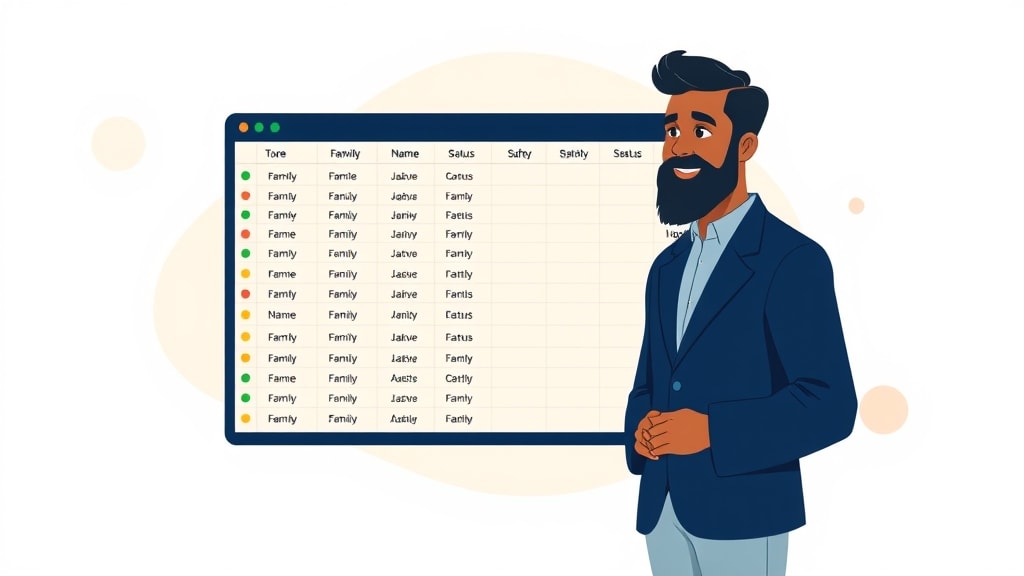
What a Deacon Ministry Spreadsheet Is Actually For
Before columns, purpose. A deacon ministry spreadsheet exists to answer four questions on demand: which families are assigned to which deacon, who has been contacted recently, who has not, and what the deacon needs to remember the next time he reaches out. Everything else, such as addresses, anniversaries, birthdays, and prayer requests, is supporting information. If your spreadsheet does not let you answer those four questions in under a minute, it is not pulling its weight.
This matters because deacon ministry spreadsheets tend to grow features over time. Someone adds a column for who taught their child Sunday school. Someone else adds a column for last giving date. Within a year, the file has 22 columns, and the four columns that actually matter are buried so deep no one uses them. Keep the spreadsheet focused.
The Deacon Ministry Spreadsheet Template (Column by Column)

Here is the template we recommend churches start with. It is intentionally simple. You can always add columns later, but most churches add too many too soon.
Family Name. Use a clear format like “Smith, John & Mary” rather than just “Smith,” because at most churches there is more than one Smith family. Sort the sheet by this column.
Primary Phone. One number per family. If both spouses are equally reachable, pick one and put the other in notes. Cluttered contact information slows down the deacon when he is trying to call quickly.
Address. Full address, including city and zip. Hospital chaplains and visit-based ministry both rely on this column.
Assigned Deacon. The deacon's name, not initials. Initials cause confusion when there are two Daves on the board.
Backup Deacon. A second name. Backups matter more than churches realize, because the original deacon will be sick, traveling, or unavailable at exactly the moment a family needs help.
Status. One of three values: Active, Watch, or Inactive. Active families get normal cadence. Watch families need extra attention this month. Inactive families need a deliberate reach-out from leadership, not just a deacon's call.
Last Contact Date. Date format only. No text. This is the column you sort by when the pastor asks who is overdue.
Last Contact Type. Call, visit, text, in-person at church, or meeting. This is useful pattern data. For instance, if every contact in a family's history is a text, that is a relationship that has not actually been pastored.
Next Contact Target Date. When does the deacon plan to reach out again? Leave blank if there is no specific commitment, but this column is where ministry intention gets written down.
Notes. One column, no formatting tricks. Keep this short. If a family's notes have grown to three paragraphs, move them somewhere with real privacy controls instead of leaving them in a row of a shared spreadsheet.
That is the entire template. Ten columns. Resist the urge to add an eleventh until you have used the first ten for six months.
How to Make the Spreadsheet Actually Get Used

The template is the easy part. Making deacons actually open it and update it is the hard part. Three habits separate spreadsheets that survive from spreadsheets that quietly rot:
One person owns the master. Multiple editors will produce conflicts and lost changes. One person, usually the deacon chair or the church administrator, owns the file. Everyone else submits updates to that person.
Monthly review at the deacon meeting. The first 15 minutes of every deacon meeting are spent sorting by Last Contact Date and looking at the bottom of the list. The families who have been contacted least recently are the ones discussed first. This single habit will catch more drift than any feature ever will.
One-week update window. When a deacon makes a contact, he has one week to report it to the owner of the spreadsheet. After a week, it does not get recorded. This is not as a punishment, but because deacons who report late are reporting unreliably, and unreliable data is worse than no data.
If you can hold those three habits for a year, your spreadsheet will probably be sufficient. If you cannot, the problem is not the template. Rather, it is that the spreadsheet has become too much work to maintain. That is the signal we will talk about next.
The Warning Signs That You've Outgrown the Spreadsheet

Every deacon ministry spreadsheet eventually fails. The failure is rarely dramatic because it happens gradually. The file stays in the shared drive, but deacons stop opening it. The pastor stops trusting it, and somebody starts keeping a side list. Here are the warning signs we see most often:
The monthly update takes more than two hours. When the church administrator dreads spreadsheet maintenance day, the file has won. She is now serving the document instead of the document serving the ministry.
Deacons reference printed copies instead of the file. Printed copies are always out of date the moment they print. If your deacons are working from paper, your live data is functionally invisible.
Nobody can answer “who hasn't been contacted in 90 days?” in under a minute. This is the diagnostic test. The deacon ministry spreadsheet exists to surface overdue families. If it cannot do that fast, it has failed at its job.
Sensitive notes are showing up in places they shouldn't. A deacon scribbles a hard family situation on the back of a printed list, and the printed list gets left on a passenger seat. If you've had even one of those near-misses, the spreadsheet's privacy story is over.
The file has more than 12 columns or more than 150 families. Past that threshold, the human ability to scan and remember breaks down. The data is technically there, but no one can actually use it.
If you check yes on three or more of those, the spreadsheet is no longer saving you time. It is costing you ministry.
The Better Alternative
The reason churches reach for spreadsheets is that the alternatives have historically been heavy church management systems built for accounting, attendance, and giving, rather than for the relational work of deacon ministry. The spreadsheet wins by default because the alternatives ask too much.
OurChurchCare was built specifically for the deacon family ministry workflow this article describes. Families are assigned to a specific deacon, and each deacon sees only their assigned families on their phone. Calls, visits, and texts are logged in seconds. The dashboard automatically surfaces families who haven't been reached in too long, so the question of who is slipping through the cracks is answered before anyone has to ask it. There are no accounting modules, no attendance scanners, and no learning curve that requires a training weekend. It does the four things a deacon ministry spreadsheet is supposed to do, and it does them without the monthly maintenance burden.
If you are not at the breaking point yet, use the template above. It will serve you well for as long as your ministry is the right size for it. When it stops serving you, and it eventually will, start a free OurChurchCare trial and let us help you migrate the data over. We will keep the structure you built, so you will not lose the work.